Buying a License on Kentucky’s Online Portal
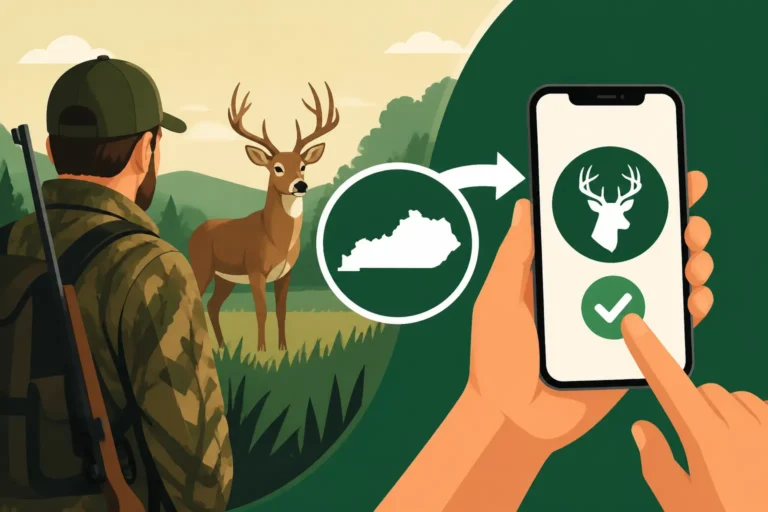
Buying your Kentucky hunting license online shouldn't feel like navigating a dense thicket in the dark, but let's be honest, it often does. Between deciphering acronyms, figuring out what permits you actually need, and wrestling with clunky interfaces, it's easy to get frustrated before you even step foot in the woods. This guide is here to untangle that process, walking you through every step of purchasing your Kentucky hunting licenses and permits directly through the Kentucky Department of Fish and Wildlife Resources (KDFWR) online portal, making sure you're legal and ready for the field.
Navigating the Kentucky Department of Fish and Wildlife Resources Online Portal
Alright, let's talk about the KDFWR online portal. For many of us, the mere thought of navigating a government website can bring on a headache. You might be picturing outdated pages, broken links, or an endless loop of forms. Thankfully, the KDFWR has made strides to improve their online system, but it still has its quirks. The key is knowing where to look and understanding the flow, so you don't waste precious hunting time trying to just get your basic paperwork in order. Your first interaction with the portal sets the stage for the entire process, so let's make it a smooth one.
Finding the Right Page and Starting Your Purchase
The very first step is simple: head straight to the Kentucky Department of Fish and Wildlife Resources website. Don't go through a third-party site or rely on a year-old bookmark; you want the most current, official portal. Once there, you'll typically find a prominent button or link labeled something like "Buy Licenses & Permits" or "Online Services." It's usually pretty clear, but if you're ever unsure, look for the navigation menu, and it'll almost certainly be under a "Licenses" or "Hunting" section. Click on that, and it’ll whisk you away to the dedicated licensing platform.
From here, you’re usually presented with options like "Purchase License," "Print License," or "Check Harvests." For our purposes, you'll want to select "Purchase License." This will kick off the step-by-step buying process. It's designed to guide you, but sometimes the terminology can feel a little dense. Just remember, you're looking to add items to a virtual shopping cart, much like any other online store. Take a deep breath, read the prompts carefully, and don't rush through.
Creating or Logging into Your Account
Before you can buy anything, the system needs to know who you are. If you’ve ever purchased a license in Kentucky before, whether online or in person, you likely already have an account associated with your social security number or a KDFWR-assigned customer ID. In this case, you'll want to select "Log In" or "Existing Customer." You'll typically need to enter your Social Security Number (SSN) and date of birth, which serves as your unique identifier. This is a common point of frustration for many, as forgetting your KDFWR ID can make logging in a bit of a maze.
If you're a brand-new hunter in Kentucky or have never purchased a license through KDFWR, you'll need to register as a "New Customer." This process involves inputting your personal details – name, address, contact information, and your SSN. Yes, the SSN is mandatory for licensing purposes. It’s how the state tracks your license history, hunter education status, and harvest records. Once your account is set up, or you've successfully logged in, you'll be taken to a page where you can begin selecting the specific licenses and permits you need. Make sure all your information is accurate; any discrepancies can cause headaches down the road.
Understanding License and Permit Options for Kentucky Hunters
One of the biggest hurdles for any hunter, new or experienced, is deciphering the various licenses and permits required for Kentucky hunting. It's not just a single "hunting license" anymore; different game, different seasons, and even your residency status can dictate a complex basket of requirements. Getting this wrong can not only lead to fines but also ruin a perfectly good hunt. It’s crucial to understand what you need before you start clicking, especially if you're planning on hunting multiple species or across different seasons.
Resident vs. Non-Resident Licenses
The first and most significant distinction you'll encounter is between resident and non-resident licenses. Simply put, if you live in Kentucky, you pay resident prices, which are generally much lower. If you reside outside the Commonwealth, you'll be paying non-resident rates. This isn't unique to Kentucky; it's a standard practice across the nation to manage local resources and differentiate costs for those contributing to the state's tax base versus those who are not.
Kentucky defines a resident as someone who has lived in the state for at least 30 days immediately prior to applying for a license and intends to make Kentucky their permanent home. There are specific rules for military personnel and students, so if you fall into those categories, it’s worth checking the KDFWR regulations directly or contacting their office to confirm your status. For everyone else, it’s pretty straightforward. Just ensure you select the correct residency option when you apply, as misrepresenting your residency can lead to serious legal repercussions. You can find more detailed information on specific costs by looking into the Kentucky Resident Hunting License Options or Kentucky Nonresident Hunting License Options.
Key Permits You'll Likely Need
Beyond the basic annual hunting license, Kentucky requires specific permits for certain game species. This is where many hunters get tripped up, especially if they're used to other states' systems. For example, if you plan to pursue deer, you’ll need a Kentucky statewide annual hunting license and a Kentucky deer permit. The same goes for turkey hunting; you'll need the annual license and a separate turkey permit.
Here’s a quick rundown of some common permits:
- Statewide Annual Hunting License: This is your baseline. Almost all other hunting activities require this first.
- Deer Permit: Essential for deer hunting, and allows you to harvest deer within the state's bag limits and zone rules. You might also want to read up on the Kentucky Deer Season Structure Explained to ensure you understand the zones and regulations for deer.
- Turkey Permit: Necessary for both spring and fall turkey seasons. Each permit typically allows for the harvest of a certain number of birds. For spring, you'll definitely want to understand the Kentucky Spring Turkey Season Rules.
- Waterfowl Permit/Migratory Bird Permit: If you're chasing ducks or geese, you'll need this, plus a federal duck stamp if you're 16 or older. This is tied into your Kentucky Migratory Bird Certification.
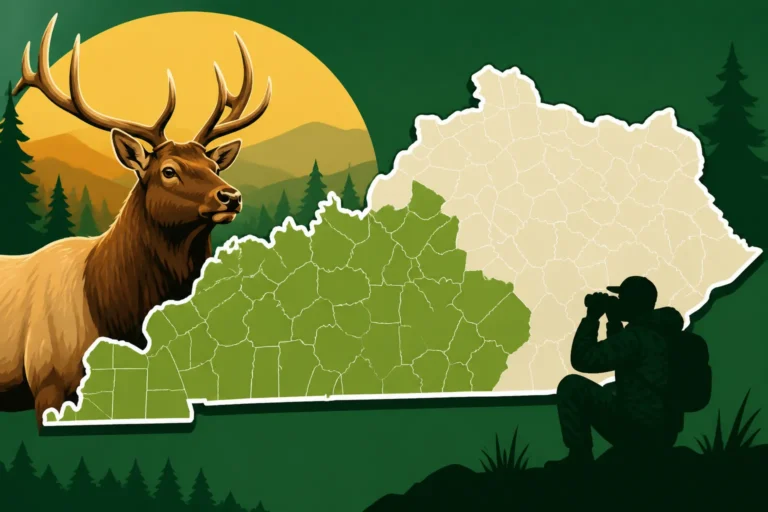
- Elk Permit: These are special quota permits obtained through a lottery drawing. You can’t just buy one off the shelf.
- Bear Permit: Like elk, bear permits are specific and managed through a quota system in designated zones.
It’s crucial to match your permits to the game you intend to hunt. Don't assume your basic hunting license covers everything. Always double-check the current KDFWR hunting guide or their website for the most up-to-date requirements for each species you plan to target.
The Kentucky Sportsman's License Bundle: Is It Right for You?
For many avid hunters (and anglers), Kentucky offers a fantastic option called the Sportsman's License Bundle. This isn't just a marketing gimmick; it's a genuinely cost-effective way to get all your essential licenses and permits in one fell swoop. The bundle typically includes your statewide annual hunting license, statewide annual fishing license, Kentucky deer permit, Kentucky spring turkey permit, Kentucky fall turkey permit, and a Kentucky waterfowl permit (which includes the state migratory bird permit).
Here's why it's often a no-brainer: buying each of these components individually can quickly add up. The Sportsman's License bundles them at a significantly reduced price compared to purchasing them à la carte. For instance, if you plan to hunt deer in the fall, turkey in the spring, and maybe even hit the lake for some fishing, the bundle usually pays for itself.
Let's look at a hypothetical comparison using current pricing (note: always check KDFWR for the absolute latest prices as they can change):
| License/Permit | Individual Resident Cost (Approx.) | Sportsman's Bundle Inclusion |
|---|---|---|
| Annual Hunting License | $27 | Yes |
| Annual Fishing License | $27 | Yes |
| Deer Permit | $15 | Yes |
| Spring Turkey Permit | $15 | Yes |
| Fall Turkey Permit | $15 | Yes |
| Waterfowl Permit | $15 | Yes |
| Total Individual Cost | $114 | N/A |
| Sportsman's License Cost | $95 (Approx.) | All above |
As you can see, the savings are substantial. While the exact bundle components and prices can change annually, the value proposition typically remains strong for anyone who plans to pursue multiple game species. If you only plan to hunt one thing, like just deer and nothing else, then buying only the Kentucky Deer Permit Cost and the base hunting license might be slightly cheaper. However, if there's even a small chance you'll hunt deer, turkey, or waterfowl, or go fishing, the Sportsman's License is usually the smart play. You can delve deeper into what this bundle covers with this guide: The Kentucky Sportsman's License Bundle.
Step-by-Step Guide to Completing Your Online Purchase
Once you've navigated to the KDFWR portal, logged in or created your account, and figured out which licenses and permits you need, it's time for the actual transaction. This part is designed to be user-friendly, much like any online shopping experience. However, there are a few specific details unique to hunting and fishing licenses that you'll want to pay close attention to, especially regarding hunter education and making sure all your information is pristine. Taking your time here will prevent any issues later when you’re out in the field.
Entering Personal Information and Hunter Education Details
After selecting your desired licenses (like adding them to a shopping cart), the system will prompt you to confirm or enter your personal information. This usually includes your full name, current mailing address, email address, phone number, and date of birth. It's critical that this information is accurate and matches your official identification, as law enforcement officers in the field will be verifying this against your license. If you've moved recently, make sure your address is updated in your profile.
One of the most important sections is often related to hunter education. In Kentucky, most hunters born on or after January 1, 1975, are required to have a hunter education certification. The online portal will usually ask for your hunter education certification number or date of completion. If you've previously bought a license and met this requirement, it should automatically pull up your certification. If not, and you are exempt (e.g., you were born before 1975 or are hunting under an apprentice license), you might need to check a box indicating your exemption. Be absolutely honest here. Falsifying hunter education information is a serious offense. If you're unsure about the requirements, it’s worth reviewing the Kentucky Hunter Education Requirements before proceeding.
Reviewing Your Cart and Payment Processing
Just like any online retailer, the KDFWR portal will present you with a summary of your selections before you finalize the purchase. This is your chance to carefully review everything you’ve added to your cart. Double-check that you have the correct annual hunting license, the right number of deer permits, a turkey permit if needed, and any other specialty permits. Ensure the residency status (resident vs. non-resident) is correct for each item, as this significantly impacts the price.
Once you’re satisfied with your cart, you’ll proceed to the payment screen. The KDFWR portal typically accepts major credit and debit cards (Visa, Mastercard, Discover, American Express). You'll enter your card number, expiration date, and security code, along with the billing address associated with the card. The system is designed with standard security protocols to protect your financial information. After entering your payment details, you'll usually click a "Submit" or "Process Payment" button. Give it a moment; sometimes the system can be a little slow, especially during peak seasons like right before opening day. Avoid clicking multiple times, as this can sometimes lead to double charges or payment processing errors.
Receiving and Storing Your Digital License and Permits
Congratulations, you've made your purchase! What happens next is crucial for legal compliance in the field. Immediately after a successful transaction, the KDFWR portal will usually display a confirmation page. This page often includes a link to download and print your licenses and permits. You'll also typically receive an email confirmation with attachments or links to your official documents.
It is absolutely imperative that you print these documents and carry them with you while hunting. While Kentucky does allow you to carry proof of license on your phone, having a physical copy as a backup is always a good idea, especially in areas with no cell service. Print them on durable paper, perhaps even laminate them, and keep them in a safe, dry place in your wallet or hunting pack. Make sure every required permit is included. If you’ve misplaced your printed license, don't panic. You can almost always log back into the KDFWR portal and reprint them as many times as you need. This digital convenience is a huge advantage, allowing you to access your credentials anytime, anywhere. Don't forget to understand the rules for Carrying Proof of License on Your Phone to make sure you're always compliant.
Troubleshooting Common Online Portal Issues
Even with improved systems, technology isn't always perfect. You might run into a snag or two when buying your license online, and that can be seriously frustrating, especially when you're trying to squeeze in that purchase before a morning hunt. The good news is that most common issues have straightforward solutions. You don't want to be panicking the night before opening day because your payment didn't go through or you can't find your license. Let's look at how to tackle some of these bumps in the road.
Dealing with Payment Denials or Technical Glitches
There are few things more annoying than filling out all your information, clicking "submit," and then seeing a "payment denied" message. If this happens, don't immediately assume the worst. First, double-check that you entered your credit card number, expiration date, and security code correctly. A single typo can lead to a denial. Also, ensure the billing address you provided matches the address on file with your credit card company. If these details are correct, the issue might be on your bank's end (a fraud alert, daily limit, etc.) or a temporary glitch with the KDFWR payment processor. Try using a different card if you have one, or wait a few minutes and try again.
Technical glitches on the website itself can also occur, though they are less common with modern systems. This could manifest as pages not loading, error messages appearing, or the process freezing. If this happens, try these steps:
- Clear your browser's cache and cookies: Sometimes old data interferes with website functionality.
- Try a different browser: If you're using Chrome, try Firefox or Edge.
- Use a different device: If you're on a phone, try a computer, and vice-versa.
- Check your internet connection: A spotty connection can disrupt transactions.
If none of these work, and you're still hitting a wall, it's time to reach out for direct assistance, which we'll cover next.
Recovering Lost or Unreceived Licenses
It's happened to all of us. You bought your license, you thought you printed it, but now you can't find it anywhere. Or maybe you never received the confirmation email with the download link. This is a common point of stress, especially if you're heading out to the woods imminently. The great thing about the KDFWR online portal is that your license information is tied to your account.
To recover a lost or unreceived license, simply log back into the KDFWR online portal using your customer ID or SSN and date of birth. Once logged in, there should be a clear option like "Print Licenses/Permits" or "View My Purchases." From there, you can typically view your entire license history and reprint any active licenses or permits. You might even find an option to resend the confirmation email. Remember, the system tracks your purchase, so as long as you successfully bought it, it's there. You can reprint it right before you head out the door if you need to. Just ensure you have access to a printer, or use the digital option on your phone as mentioned earlier. Don't forget that your license's validity also depends on when you bought it; checking How Long a Kentucky License Stays Valid is always a good practice.
When to Contact KDFWR Customer Service
Sometimes, you've tried everything, and the problem persists. That's when it's time to swallow your pride and call the experts. The Kentucky Department of Fish and Wildlife Resources has a dedicated customer service line for licensing and general inquiries. They are your ultimate resource for issues like:
- Persistent payment issues: If multiple cards are denied, or you suspect a double charge.
- Account access problems: If you can't log in, have forgotten your customer ID, or your SSN isn't being recognized.
- Incorrect license information: If you accidentally bought the wrong type of license or there's a typo in your name.
- Hunter education discrepancies: If the system isn't recognizing your certification.
- General confusion: If you're just utterly lost and need clarification on what permits you actually need for a specific hunt.
When you call, have all your relevant information ready: your full name, date of birth, SSN, and any transaction numbers you might have. Be patient and clearly explain your issue. Their staff are usually very helpful and can often resolve complex problems quickly, getting you back on track to hit the woods.
Maximizing Your Kentucky Hunting Experience with Digital Tools
Having your license is just the first step. In today's world, technology offers incredible advantages to hunters, from scouting to navigation and even understanding game movements. Integrating your digital license with other tools can significantly enhance your time in the Kentucky wilderness, helping you be more efficient, safer, and ultimately more successful. Don't just view your online license purchase as a chore; see it as your entry point into a connected hunting experience.
Using the Kentucky Hunt Fish App with Your Digital License
The KDFWR doesn't just offer an online portal for purchasing licenses; they also provide a powerful mobile application: the Kentucky Hunt Fish App. This app is an absolute game-changer for Kentucky hunters, especially when it comes to having your license readily available. Once you've purchased your licenses and permits online, you can typically link them directly to the app.
The app allows you to:
- Display your license: Your digital license and permits are stored right on your phone, serving as official proof in the field. This is incredibly convenient, eliminating the need to fumble for a paper copy.
- Telecheck your harvest: After a successful hunt, you can use the app to telecheck your deer, turkey, or other game, reporting your harvest directly from the field. This is a critical step for legal compliance.
- Access regulations: The app often contains digital copies of the current hunting and fishing regulations, so you can quickly look up bag limits, season dates, or specific rules while you're out.
- View maps: It includes interactive maps showing public hunting lands, WMAs, and other important geographic features. This is a fantastic resource for Scouting With the Kentucky Hunt Fish App.
Think of it as your all-in-one digital companion for Kentucky hunting. It brings a level of convenience and accessibility that simply wasn't possible just a few years ago. Make sure to download it, log in with your KDFWR credentials, and verify that your licenses are properly displayed before your next outing.
Advanced Planning with Digital Mapping Tools
Beyond the KDFWR's official app, a host of other digital mapping tools can supercharge your planning and scouting efforts. These platforms can integrate seamlessly with the knowledge that you have your digital license confirmed and ready to go. Services like GoHunt are incredible for detailed mapping, showing property boundaries, public land ownership, topography, satellite imagery, and even historical weather patterns.
Imagine you're planning a trip to the Daniel Boone National Forest. With a tool like GoHunt, you can overlay public and private land boundaries, identify potential bedding areas on steep slopes, locate water sources in hollows, and mark promising funnel points or natural pinch points – all from the comfort of your home. You can even save waypoints for treestand locations or potential entry routes. GoHunt allows you to meticulously plan your hunt, identifying ground that might hold less pressure or offer strategic advantages. This level of detail takes the guesswork out of scouting and helps you visualize the terrain before you even set foot on it. When you're dealing with big timber, like in parts of Eastern Kentucky, understanding the land from an aerial perspective via GoHunt can be invaluable.
These tools are not just for pre-season scouting; they are invaluable in-season as well. If you’re hunting a new area or trying to find public land that sees fewer hunters, GoHunt can show you subtle topographical features or isolated pockets of public ground that others might overlook. This kind of advanced planning, enabled by digital mapping, can drastically improve your chances of success and make your hunting experience much more efficient.
Understanding License Year Validity and Renewal Reminders
Finally, one important aspect of digital licenses is understanding their validity and how to keep track of renewals. Kentucky hunting licenses operate on a license year, which typically runs from March 1 to the end of February the following year. This means a license purchased in August will still expire at the end of February, not a full year from your purchase date. This is a common point of confusion for new hunters, who might think their license is valid for 365 days from purchase.
The good news is that the KDFWR online portal and the Kentucky Hunt Fish App are usually pretty good at reminding you when your licenses are approaching expiration. You might receive email notifications or see alerts within the app itself. It's still a good habit to mark your calendar for late February to remind yourself to renew. The beauty of the online system is that renewing is often even faster than the initial purchase, as all your information is already in the system. You simply log in, select the licenses you want for the new year, and process your payment. Staying on top of these dates ensures you're never caught off guard and always legal when you head into the Kentucky woods.
Disclaimer
The information provided in this guide is for general informational purposes only and is not intended as legal advice. Hunting regulations and license requirements in Kentucky can change. It is the hunter's responsibility to consult the most current Kentucky Department of Fish and Wildlife Resources regulations and statutes before engaging in any hunting activities. Always prioritize safety and legal compliance.