Carrying Proof of License on Your Phone
There's nothing quite like the heart-sinking moment when you pat your pocket, reach into your hunting pack, or check your wallet, and realize your hunting license isn't there. Whether it's left on the kitchen counter, slipped out on a bumpy ride, or simply worn to illegibility after a season of use, the fear of not being able to prove you're legal in the field is a real and frustrating one. Thankfully, Kentucky has embraced modern technology, offering hunters a convenient solution: carrying proof of your hunting license right on your phone. This guide will walk you through exactly how it works, what the rules are, and some practical tips to make sure you're always squared away, even in the deepest woods.
The Welcome Shift to Digital Proof in Kentucky
For years, a physical hunting license was a non-negotiable part of your gear. It was proof of your legal right to pursue game, and a conservation officer had every right to ask for it. But let's be honest, paper licenses are prone to all sorts of mishaps in the harsh, wet, and often muddy environments we hunt in.
Saying Goodbye to Lost Paper Licenses
I remember countless times pulling out a soggy, mud-stained license that barely resembled a valid document, hoping a warden would take pity. Or the sheer panic of realizing I’d left my wallet in the truck a mile back, trying to decide if it was worth the hike back to retrieve it or risk a citation. These weren't just minor inconveniences; they were genuine stressors that could overshadow the tranquility of a hunt. The relief hunters felt when Kentucky began to officially recognize digital proof was palpable. It was a clear acknowledgment from the Kentucky Department of Fish and Wildlife Resources (KDFWR) that times were changing and that technology could genuinely enhance the hunter's experience, making things simpler and more secure. It meant one less thing to forget, one less item to potentially lose or destroy in the elements, and one more way to leverage the technology we already carry everywhere.
What "Digital Proof" Really Means Under Kentucky Law
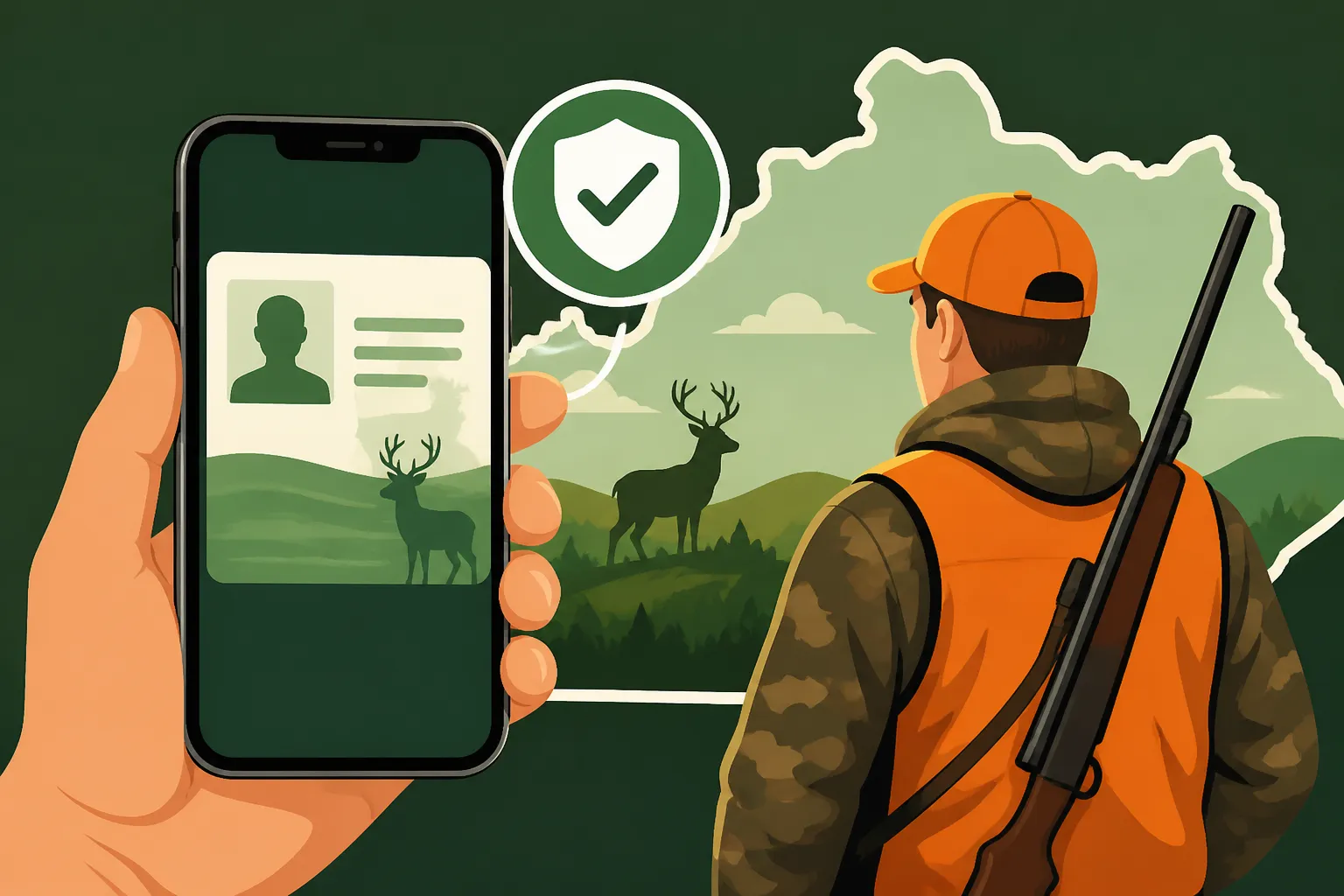
It’s important to understand that "digital proof" isn't just a blurry photo you snapped of your license last year. Kentucky law specifically allows hunters to present their licenses and permits via the official KDFWR mobile application. This means a conservation officer expects to see your live, verifiable license information within the dedicated app, not merely a screenshot from your phone's photo gallery. A screenshot, while seemingly convenient, doesn't offer the same level of verification as accessing the official data. It can be outdated, altered, or simply not convincing enough to a warden who needs to ensure you’re compliant with all current regulations. The official app is linked directly to your purchasing history and personal profile, providing real-time, accurate information that makes verification straightforward and indisputable. So, while it might be tempting to just snap a quick pic, investing a few minutes in setting up the official app is definitely the smarter, safer route for any hunter looking to carry their license on their phone. This method aligns perfectly with the requirements for how to carry proof of your license on your phone.
Your Phone as Your Hunting Wallet: Steps and Considerations
Making the switch to digital proof is straightforward, but it does require a little setup. Knowing how to properly access and display your license can save you a lot of hassle in the field.
Step-by-Step with the Go Outdoors Kentucky App
The cornerstone of digital licensing in Kentucky is the official "Go Outdoors Kentucky" mobile application, which you can find on both Apple and Android app stores. This app is more than just a place to flash your license; it’s an integrated tool designed to make your Kentucky hunting experience smoother.
First things first, you’ll need to download the app to your smartphone. Once it’s installed, you’ll log in using the same credentials you use for the KDFWR's online license purchasing portal. If you haven't bought a license online before or need to refresh your memory, our guide on Buying a License on Kentucky's Online Portal can help you get started. After logging in, you'll typically find a section dedicated to "My Licenses" or "My Permits." Tapping on this will display your active hunting license, any deer or turkey permits you've purchased, and even your federal duck stamp certification if you're a migratory bird hunter. The beauty of this system is that it’s all tied to your KDFWR customer ID, ensuring everything is up-to-date and easily verifiable by an officer.
Beyond just displaying your license, the Go Outdoors Kentucky app is also where you'll go for game check-ins. If you harvest a deer or a turkey, you can instantly Telecheck a Kentucky Deer Harvest right from the field using the app, rather than searching for cell service to call it in or driving to a check station. This streamlines the reporting process significantly and keeps all your harvest records organized digitally. It’s an invaluable tool for understanding your personal harvest history and ensuring you comply with Kentucky Deer Harvest Reporting Rules.
Beyond the Official App: Other Digital Options
While the Go Outdoors Kentucky app is the official and recommended method for carrying your digital license, some hunters like to have additional layers of backup. For instance, after purchasing your Kentucky hunting license online, you usually have the option to download a PDF copy to your computer. You could then transfer this PDF to your phone’s local storage or upload it to a cloud service like Google Drive or Dropbox. This way, even if you’re having trouble with the KDFWR app (though it’s generally very reliable), you might still be able to pull up a digital copy.
However, a word of caution about these alternative methods: they might not always be accepted by a conservation officer as readily as the official app. An officer needs to be able to verify the authenticity and current validity of your license. A PDF, while legitimate, is a static document. It doesn't update in real-time like the app and could potentially be a saved image of an expired license. This is why official access through the KDFWR app is always the preferred and most foolproof method. Screenshots, as mentioned earlier, are even less reliable. They are easily manipulated and quickly become outdated. While you might keep them as a personal reminder, never rely on a simple screenshot as your primary form of digital proof in the field. Always prioritize the official Go Outdoors Kentucky app for displaying your valid hunting credentials.
Navigating the Field with Your Digital License
Embracing digital licenses brings incredible convenience, but it also means being prepared for the realities of technology in the great outdoors. The wilderness doesn't always play nice with smartphones.
Battling Battery Life and Signal Drop-Outs
The biggest elephant in the room when relying on your phone for anything in the field is battery life. We've all been there: after a long day of Scouting Kentucky Public Land Before Season using GPS, snapping photos, and communicating with hunting buddies, your phone battery is on its last leg. Imagine that scenario, and then a conservation officer approaches, asking for your license. Suddenly, that digital convenience turns into a digital nightmare.
This isn't just a hypothetical scenario; it's a common frustration. Kentucky's public lands, especially areas like Daniel Boone National Forest, often have spotty to non-existent cell service. Without a signal, accessing cloud-stored PDFs or even some features of the KDFWR app might become impossible if they require an active internet connection for verification. The key here is proactive preparation. Always carry a portable power bank, fully charged, in your pack. There are many rugged, waterproof options available that can keep your phone juiced for days. Additionally, if you plan to rely on digital copies (like a PDF downloaded to your phone), make sure they are stored directly on your device, not just in a cloud service that requires internet access. The Go Outdoors Kentucky app is generally designed to store your active licenses locally once accessed, but it’s always wise to confirm it works offline during a test run before heading into remote areas. Device durability is another consideration; a cracked screen or water damage can render your digital proof useless. Consider a robust, waterproof case for your phone when you're in the woods.
Keeping Your Digital Credentials Safe and Ready for Inspection
Having your license on your phone also brings up questions of security and accessibility. Most of us keep our phones locked with passwords or biometric security. This is great for privacy, but when a conservation officer asks to see your license, you need to be able to access it quickly and without fumbling.
Practice navigating directly to your license within the Go Outdoors Kentucky app. Know exactly where it is. Some hunters create a dedicated folder on their home screen for hunting-related apps, making them easy to find. While it's important to keep your phone secure, be prepared to unlock it when asked by a law enforcement officer to display your license. An officer generally won't want to handle your phone themselves, so you'll need to be the one to present the information clearly.
What happens if your phone is lost, damaged, or simply fails while you're afield? This is where the KDFWR system offers some flexibility. Even if your phone is out of commission, your license information is still on file with the department. If you encounter an officer, explain the situation calmly. They can often verify your license information through their own systems using your name and date of birth, though this might take a bit longer. However, relying on this "I'll tell them my info" approach should be seen as a last resort, not a primary strategy. Being able to present the digital proof cleanly and efficiently demonstrates that you're a responsible hunter. Remember, the general rule is to be cooperative and respectful with any KDFWR official, and that includes being prepared to show proof of your valid Kentucky Resident Hunting License Options and any necessary permits.
When a Physical Backup Still Makes Sense
Despite the convenience of digital licenses, there are still scenarios where having a good old-fashioned paper copy in your pocket can save the day. It’s not about distrusting technology; it’s about preparedness.
Scenarios for Carrying a Paper Copy
Think about those special circumstances where a physical license just makes more sense. For instance, certain managed hunts or drawn quota hunts at particular Wildlife Management Areas (WMAs) might have specific instructions that still recommend or even require a physical tag or permit to be carried and notched. Always double-check the rules for unique hunting opportunities. When applying for a Kentucky Elk Quota Hunt, for example, the specific permit details will outline any unique requirements.
Another practical scenario is a multi-day hunt, especially if you're deep in the wilderness without access to charging facilities. While a power bank helps, it’s not infallible. If you’re planning to be off-grid for several days for Bowhunting Kentucky's Long Archery Season or Muzzleloader Deer Hunting in Kentucky, a laminated paper copy can provide invaluable peace of mind. Furthermore, if you're bringing a first-timer on a December hunt or hunting with youth hunters, particularly during the Free Youth Weekend in December, a physical copy for them or yourself can simplify things. Older hunters or those less familiar with smartphone technology might also prefer the tangible security of a paper license. For hunters under an Apprentice Hunter License, the mentor must always have their license handy, and sometimes a physical copy is just easier for quick reference.
Best Practices for Dual Carry
If you decide that carrying a physical backup is right for you, there are smart ways to do it. Don't just stuff a flimsy piece of paper into your pocket to get soaked or torn. Print a copy of your license and permits and have them laminated. Many office supply stores offer this service for a small fee, and it makes your backup incredibly durable against the elements.
Store this laminated copy separately from your phone. Maybe it goes into a waterproof pouch in your backpack, or tucked into a ziplock bag in a chest pocket of your hunting vest. The idea is that if one form of proof becomes unusable (e.g., dead phone battery, lost phone, or a lost wallet with your physical license), you still have the other. This dual-carry strategy offers an unparalleled level of preparedness and peace of mind. Knowing you're compliant with How Much Blaze Orange Kentucky Requires, have your license on your phone, and a backup in your pack, lets you focus on what you're really out there for: enjoying the hunt.
Digital License vs. Physical License Summary
To help you decide the best approach for carrying your proof of license, here's a quick comparison of the pros and cons of digital versus physical methods:
| Feature | Digital License (via Go Outdoors Kentucky App) | Physical License (Printed) |
|---|---|---|
| Convenience | Always on your phone, easy to access if phone is charged/functional. | Tangible, no battery needed. |
| Durability | As durable as your phone. Susceptible to water damage, drops, dead battery. | Susceptible to tearing, water damage, getting lost. Can be laminated for durability. |
| Verification | Real-time, official, and verifiable by KDFWR officers through the app. | Clearly printed, universally recognized, but can be damaged or lost. |
| Game Reporting | Integrated Telecheck feature directly in the app for instant harvest reporting. | Requires separate phone call or online access for Telecheck. |
| Offline Access | Licenses usually cached once accessed, but some app features may require signal. | Always accessible, no signal needed. |
| Security | Secured by phone's password/biometrics. Risk of phone loss/theft. | Risk of loss or theft if wallet/pack is lost. |
| Cost | No additional cost beyond license purchase. | Printing/laminating costs if you want a durable backup. |
| Best Use | Primary method for most hunters, especially with charged phone and backup power. | Excellent backup, preferred by some traditional hunters, good for remote areas. |
Disclaimer
The information provided in this guide is for general informational purposes only and does not constitute legal advice. Hunting regulations, license requirements, and legal interpretations can change frequently. Always consult the official Kentucky Department of Fish and Wildlife Resources (KDFWR) website, regulation digests, or directly contact the KDFWR for the most current and accurate information before participating in any hunting activities. Adherence to all state and federal hunting laws is the responsibility of the individual hunter.